The lecture hall is dying. Audiences no longer tolerate sitting passively while experts dispense wisdom from elevated platforms—they want participation, influence, and visible evidence that their presence matters. Interactive voting and live polling have evolved from conference gimmicks into essential engagement tools, and staging must evolve alongside them. Designing a stage that supports real-time audience interaction requires rethinking everything from screen placement to presenter workflows, creating an environment where technology enhances rather than interrupts the human connection between speaker and crowd.
This transformation echoes a much older revolution. When audience response systems first appeared in the 1960s—those crude clicker devices that education researcher Elmo Roper developed for market research—presenters struggled to integrate technology into established presentation formats. Today’s sophistication has advanced exponentially, but the fundamental challenge remains: how do you create a stage environment where technology serves communication rather than dominating it?
Screen Architecture for Real-Time Results Display
Traditional stage designs assume screens display presentation slides controlled by the speaker. Interactive polling breaks this assumption, introducing content—vote tallies, word clouds, audience sentiment graphs—that neither speaker nor slides can predict. This demands dedicated display real estate separate from primary presentation screens, positioned where audiences see results without losing sight of the presenter.
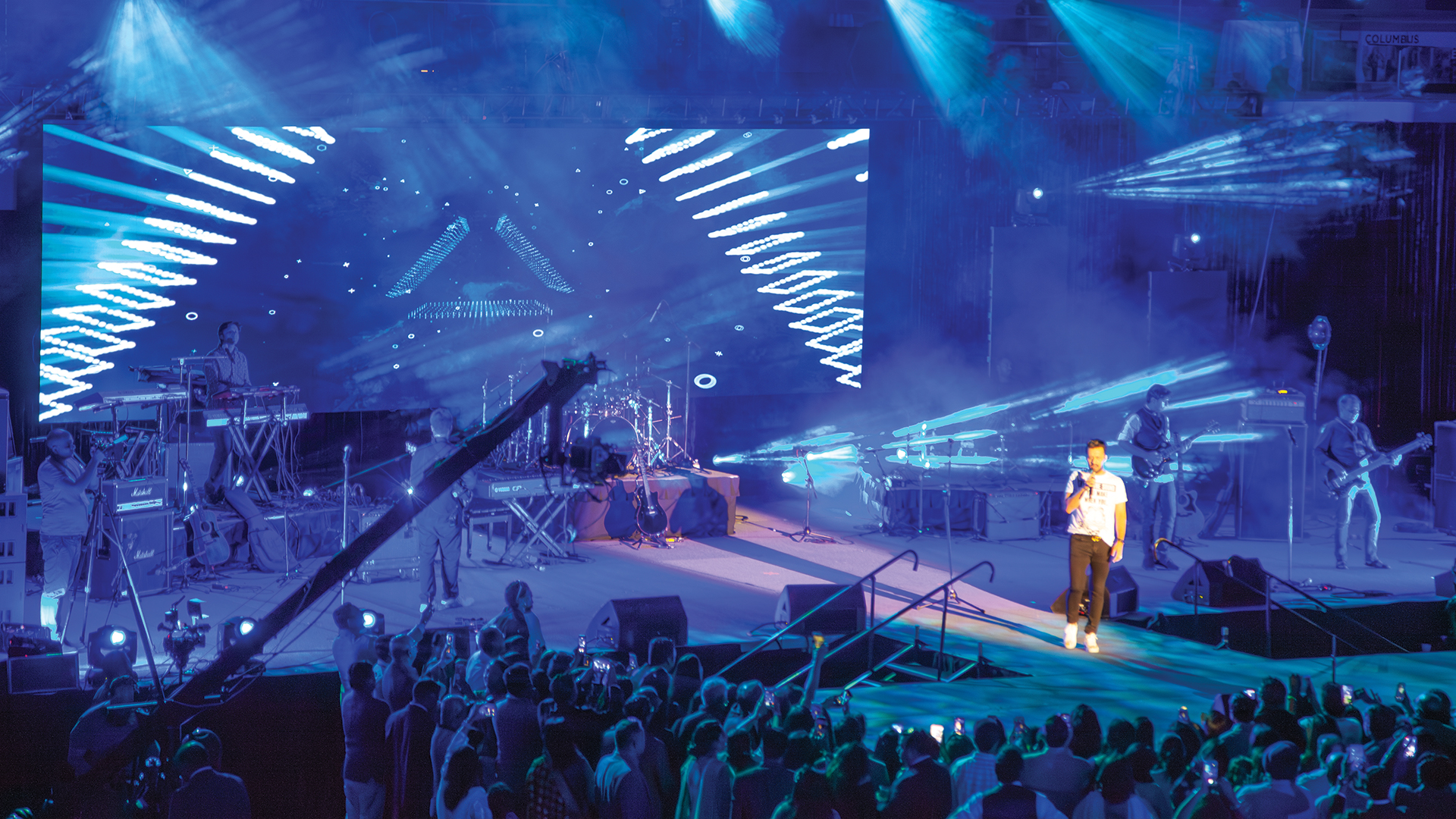
The most effective configuration employs a three-screen arrangement: a central presentation screen flanked by identical side screens showing polling results. This geometry keeps the presenter visually anchored at the stage’s focal point while poll data occupies peripheral screens where it’s visible but not dominant. When using ROE Visual Black Pearl BP2V2 LED panels for all three surfaces, consistent color and brightness across screens prevents the visual jarring that occurs when mixing display technologies.
Confidence Monitor Positioning for Poll-Aware Presenters
Presenters conducting live polls need to see results before they appear to audiences—even a 2-second preview prevents the awkward deer-in-headlights moment when surprising poll results blindside an unprepared speaker. Confidence monitors positioned at the stage lip should display the same content shown to audiences, but with poll results appearing several seconds earlier through preview feeds from the polling software.
Systems like Slido and Mentimeter offer presenter preview modes specifically for this purpose. The presenter’s laptop runs the control interface while a separate output feeds audience-facing screens with configurable delay. Barco E2 presentation switchers handle the routing complexity elegantly, providing multiple isolated outputs with independent timing controls that production teams can adjust during rehearsals.
Lighting Design for Screen-Dominant Environments
Interactive polling stages face a lighting paradox: screens must be visible, but bright screens wash out under traditional stage lighting levels. Conversely, dimming stage lights for screen visibility makes presenters appear to emerge from caves. The solution involves creating distinct lighting zones with independently controllable intensities.
Screen zones require ambient light levels below 50 lux to maintain contrast ratios that render text readable at distance. Presenter zones need 300-500 lux for proper IMAG camera exposure. ETC ColorSource Spot fixtures with barn doors allow lighting designers to create sharp boundaries between bright presenter areas and dim screen surrounds. The fixtures’ quiet operation—critical for this application—prevents the hum and fan noise that plague budget LED fixtures in quiet conference environments.
Network Infrastructure: The Invisible Foundation
Live polling depends entirely on robust network connectivity. When 500 attendees simultaneously submit votes via smartphones, networks designed for casual email checking collapse under the load surge. Dedicated event networks isolated from venue guest WiFi are mandatory, with access points positioned to provide strong signal coverage throughout seating areas.
Cisco Catalyst 9800 wireless controllers handling multiple Cisco Aironet access points provide the density required for audience-wide polling participation. The rule of thumb: one access point per 50 connected devices, positioned to minimize interference and maximize coverage overlap. AV teams should conduct site surveys with Ekahau Pro software before events, identifying dead zones and interference sources that could derail polling moments when engagement matters most.
Stage Geography for Presenter Mobility
Effective poll facilitation requires presenters to move between slides-focused delivery and results-discussion mode. The stage must support this transition physically, providing clear paths between content presentation positions and polling results commentary positions. Marking these zones with spike tape during rehearsals helps presenters internalize the choreography required for smooth transitions.
The ideal stage includes a ‘results discussion zone’ near the flanking poll display screen where presenters can gesture toward results while maintaining engagement with the audience. This typically positions the presenter off-center during poll analysis—a configuration that traditional centered stages resist. Modern stage designs increasingly incorporate asymmetrical elements that make off-center positioning feel intentional rather than awkward.
Audio Considerations for Audience Participation
Interactive sessions generate sounds that purely broadcast-style events don’t encounter: the rustle of hundreds of attendees reaching for smartphones, murmured discussions as groups debate poll answers, and occasional audience commentary the presenter might want to acknowledge. Audience microphones—even if rarely opened—should be pre-positioned to capture crowd reactions or spontaneous audience questions prompted by poll results.
Shure Microflex Advance ceiling array microphones offer discrete audience coverage without requiring handheld mics to be passed through crowds. The MXA910 ceiling tile form factor integrates invisibly into venue architecture while providing intelligent automatic mixing that highlights active speakers and suppresses HVAC noise. When a poll result triggers audience reaction worth capturing, the infrastructure is already in place.
Integration Points: Making Systems Talk
The technical backbone connecting polling platforms to display systems determines whether transitions feel seamless or stuttering. Most polling platforms output results as web content, requiring capture systems to convert browser windows into production video signals. NDI (Network Device Interface) technology from Vizrt enables low-latency video transport over standard networking infrastructure, allowing polling content generated on one computer to appear on displays connected through entirely different systems.
vMix production software has become a favorite for interactive event production precisely because it ingests NDI sources natively while providing the graphics overlay capabilities needed to brand polling displays with event identity. A well-configured vMix system can composite speaker cameras, presentation slides, polling results, and lower-third graphics into unified program output—eliminating the visible ‘cut’ between different content sources that amateur productions expose.
Countdown Timers and Voting Windows
Audiences need clear signals indicating when voting opens and closes. Visible countdown timers displayed on screens create urgency that drives participation rates upward. Without timers, attendees assume they have unlimited time, check emails, and miss voting windows entirely. With countdowns, participation rates typically double.
Stage design should incorporate countdown display as a first-class element rather than an afterthought. A dedicated countdown screen visible to both audience and presenter—or timer graphics integrated into existing screens via production overlays—maintains the energy that well-facilitated polls generate. Companion software (originally developed for Bitfocus) controls countdown triggers that operators can fire from stream decks, synchronizing timer starts with presenter cues without requiring presenters to manage technology while facilitating discussion.
Rehearsal Protocols for Interactive Elements
Standard presentation rehearsals don’t adequately prepare for interactive sessions. Real voting requires real voters—or convincing simulations. Production teams should recruit 10-20 volunteers with smartphones to submit test votes during technical rehearsals, revealing network bottlenecks, display timing issues, and presenter workflow problems that desktop testing never exposes.
Run each poll through complete cycles: question display, voting window, results reveal, presenter commentary. Time these cycles precisely—presenters consistently underestimate how long audiences need to extract phones, navigate to voting URLs, and submit responses. The polished 90-second poll cycle rehearsed on stage might require 3 minutes with real audiences fumbling with phone keyboards.
Backup Plans for Technology Failures
Technology fails precisely when it matters most, and interactive elements create single points of failure that can derail entire presentations. Every polling moment needs a non-technical backup: prepared discussion questions that replace poll discussions, pre-made results graphics that can substitute for live polling, or audience show-of-hands that captures engagement energy even when smartphones can’t connect.
The Ross Video Carbonite presentation switcher includes automation features that production teams can program for instant failover—if polling output drops, pre-programmed graphics appear automatically, buying time for troubleshooting without exposing the failure to audiences. These automated recoveries require preparation during programming sessions, but they transform potential disasters into seamless recoveries that audiences never notice.
Designing stages for interactive voting represents a fundamental shift in how AV professionals think about presentation environments. The stage is no longer a broadcast platform from which experts transmit to passive receivers—it’s a dialogue space where information flows both directions, where audience sentiment shapes presentation direction, and where technology serves the ancient human desire for participation in shared experiences. Get the design right, and polling becomes invisible infrastructure supporting genuine engagement. Get it wrong, and technology becomes the story, overshadowing whatever message the presenter hoped to deliver.
